 Akshay Deshpande
No central visibility
“I have no idea which instances are offline until a customer calls us.”
I was the only designer on F5's new SaaS console for managing fleets of NGINX servers. I took it from concept to an MVP launch at F5 AppWorld, then designed the six major features that followed.
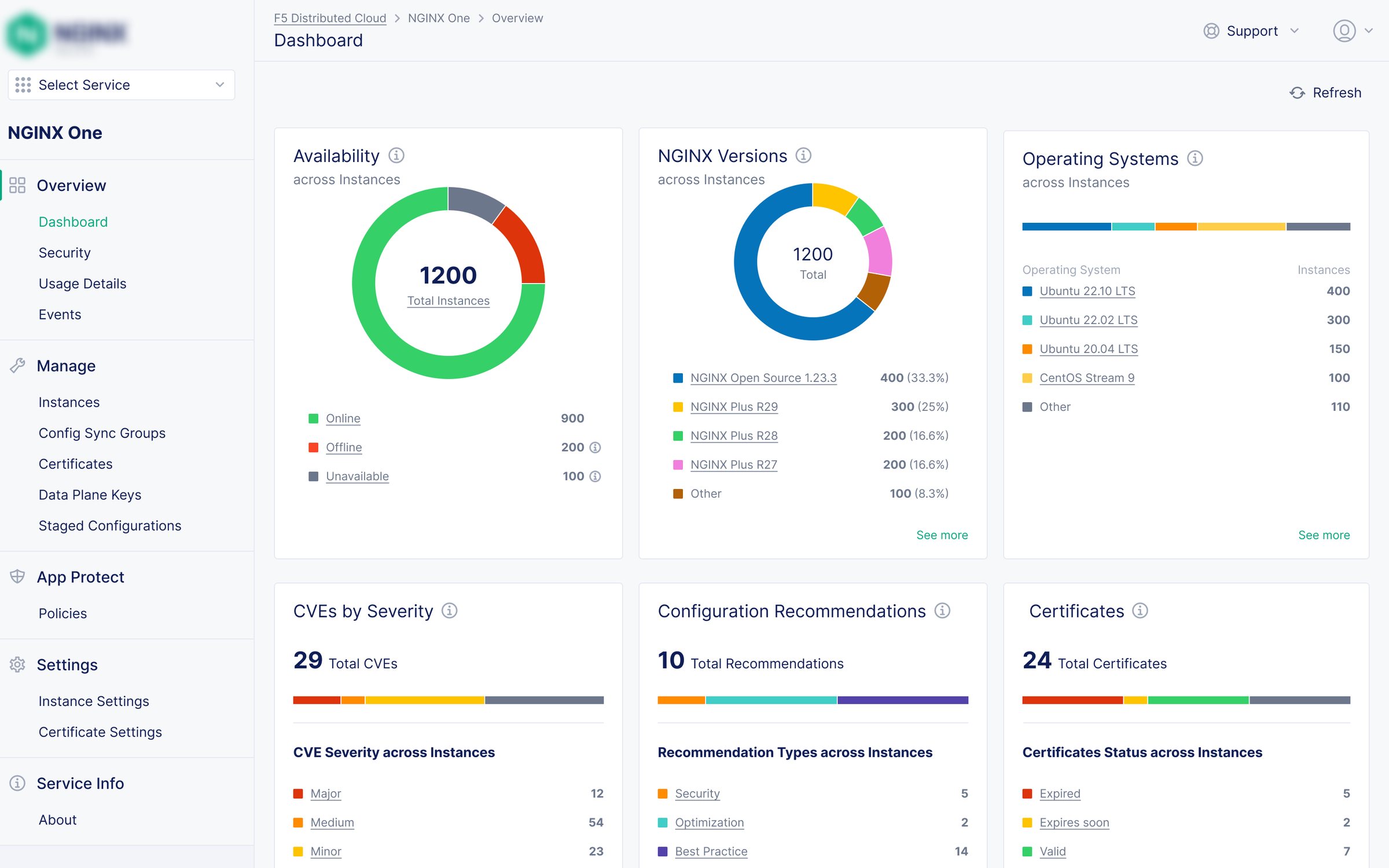
NGINX runs about 40% of the world's top websites. Large customers run dozens to hundreds of NGINX servers across their own data centers, the cloud and containers. F5's existing product for managing them had four modules. Three weren't gaining traction, and the one that was had too few features.
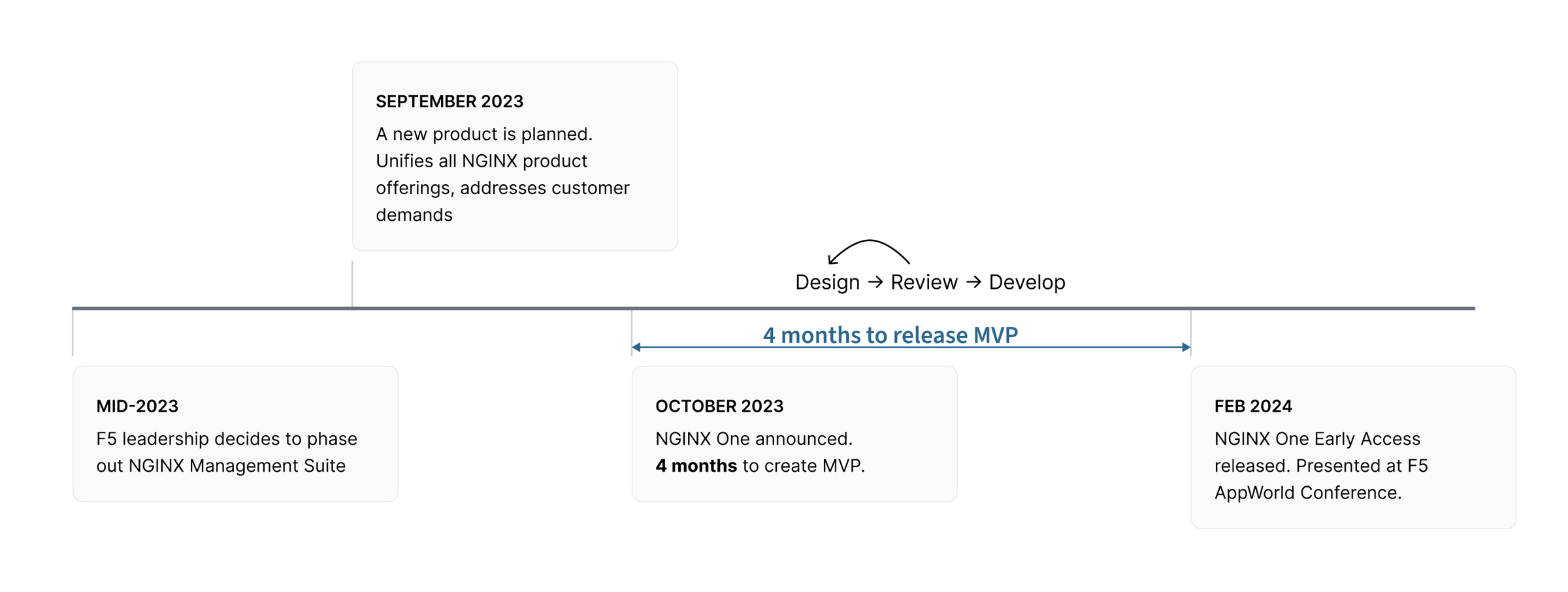
In mid-2023, F5 decided to replace it with one SaaS product, NGINX One, and gave the team four months to ship an MVP. NGINX One Early Access launched at F5 AppWorld in February 2024. Two months after I joined, the other NGINX designer left. From then on, the design of every NGINX product, including this launch, was mine.
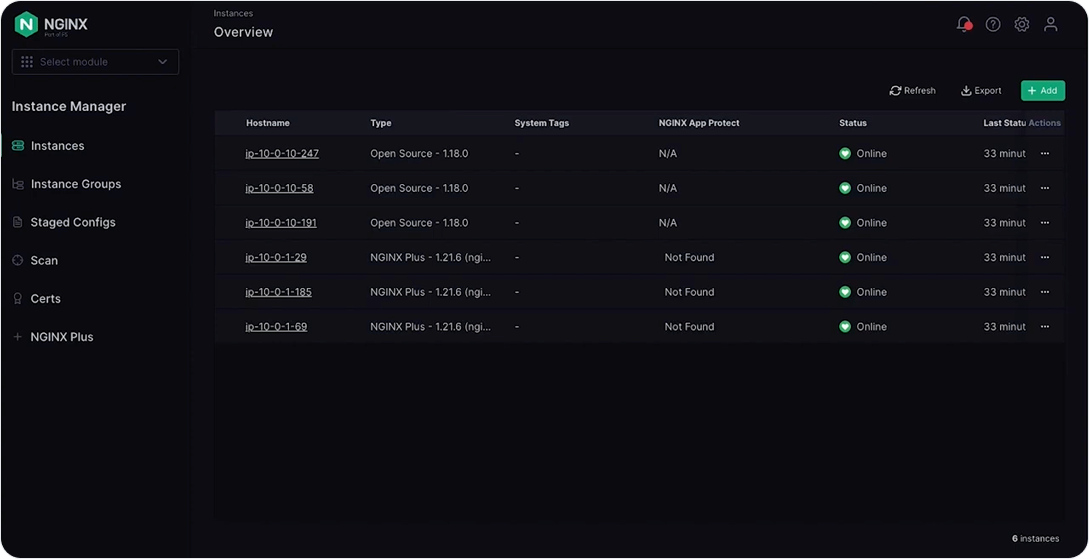
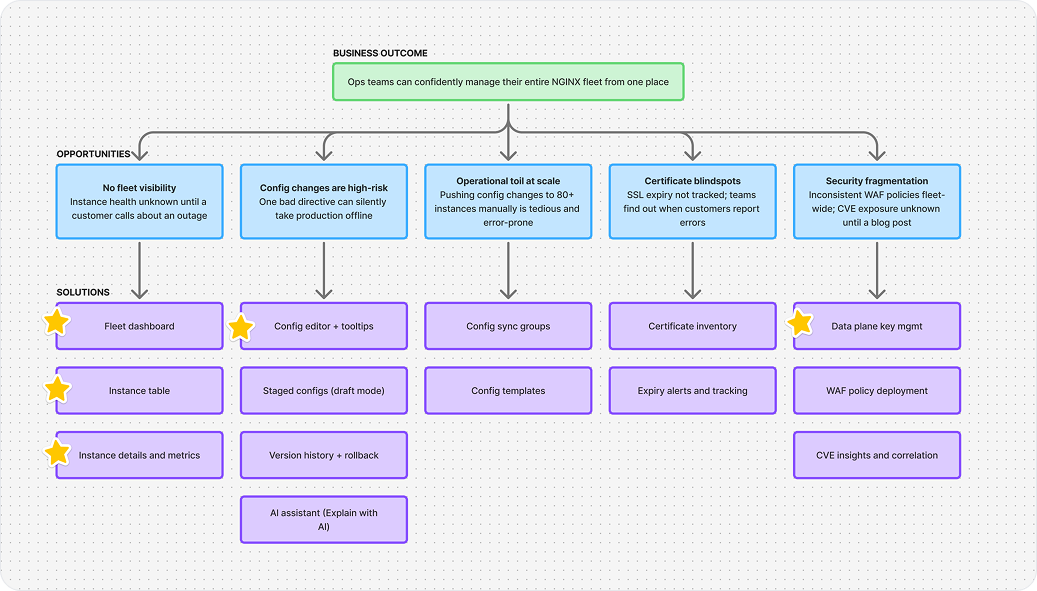
Through product managers and customer success engineers who got direct feedback from customers, four problems kept coming up.
“I have no idea which instances are offline until a customer calls us.”
“One wrong directive and I've just taken a production instance offline.”
“Pushing the same config change to 80 instances one by one.”
“We found out our cert expired when customers started seeing browser warnings.”
Problem statement
How might we simplify managing and monitoring NGINX instances, make NGINX configurations easier to understand, and reduce operational complexity for platform and security teams?
With no other designers on the team, I set up a repeatable process that kept PM and engineering aligned on every feature.
I aggregated customer requests from PMs and customer success engineers, read forum feedback on the old product, and wrote a UX brief for each feature: problem, users, glossary, scenarios, approach, constraints and success criteria.
I reviewed wireframes with engineers and PMs, iterated quickly, and got feedback from customer success engineers or trusted early-access customers. Final designs covered error states, edge cases and final copy.
I presented final designs to engineering, supported them through implementation, and reviewed the build so what shipped matched what was designed.
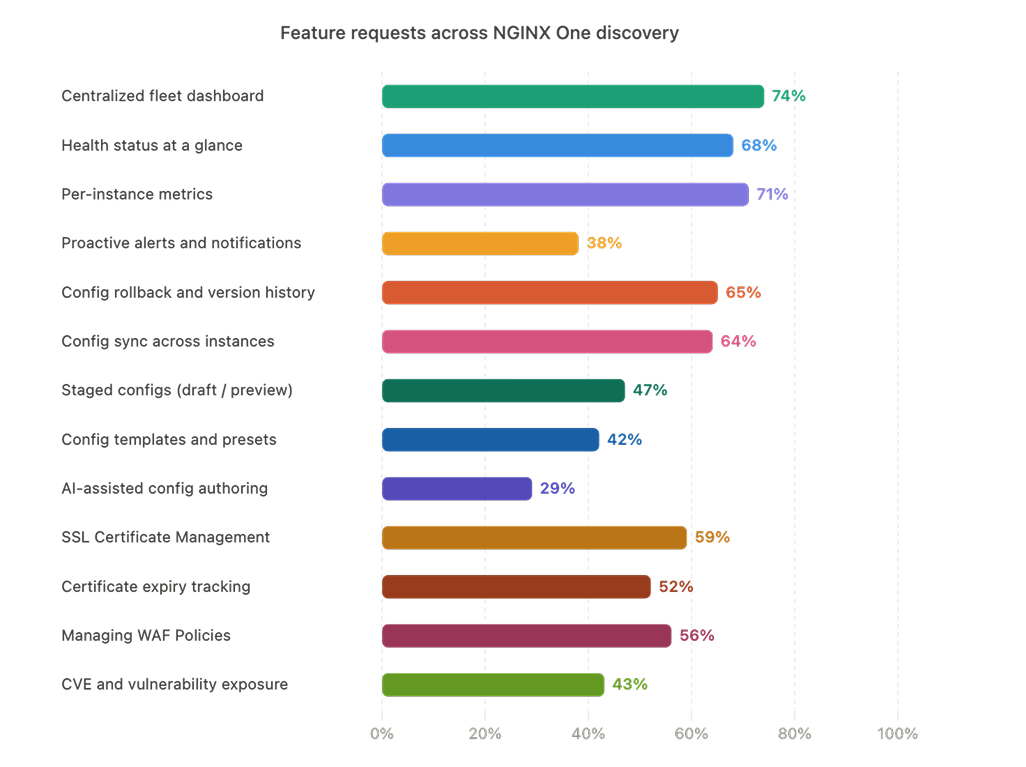
With a fixed conference date, I narrowed the MVP to one question: can ops teams see and manage their whole NGINX fleet from one place? Discovery produced a list of 12 candidate features. In a workshop with PM and engineering, I ranked them by impact against effort and cut everything that didn't answer that question.
The MVP shipped on time with four features.
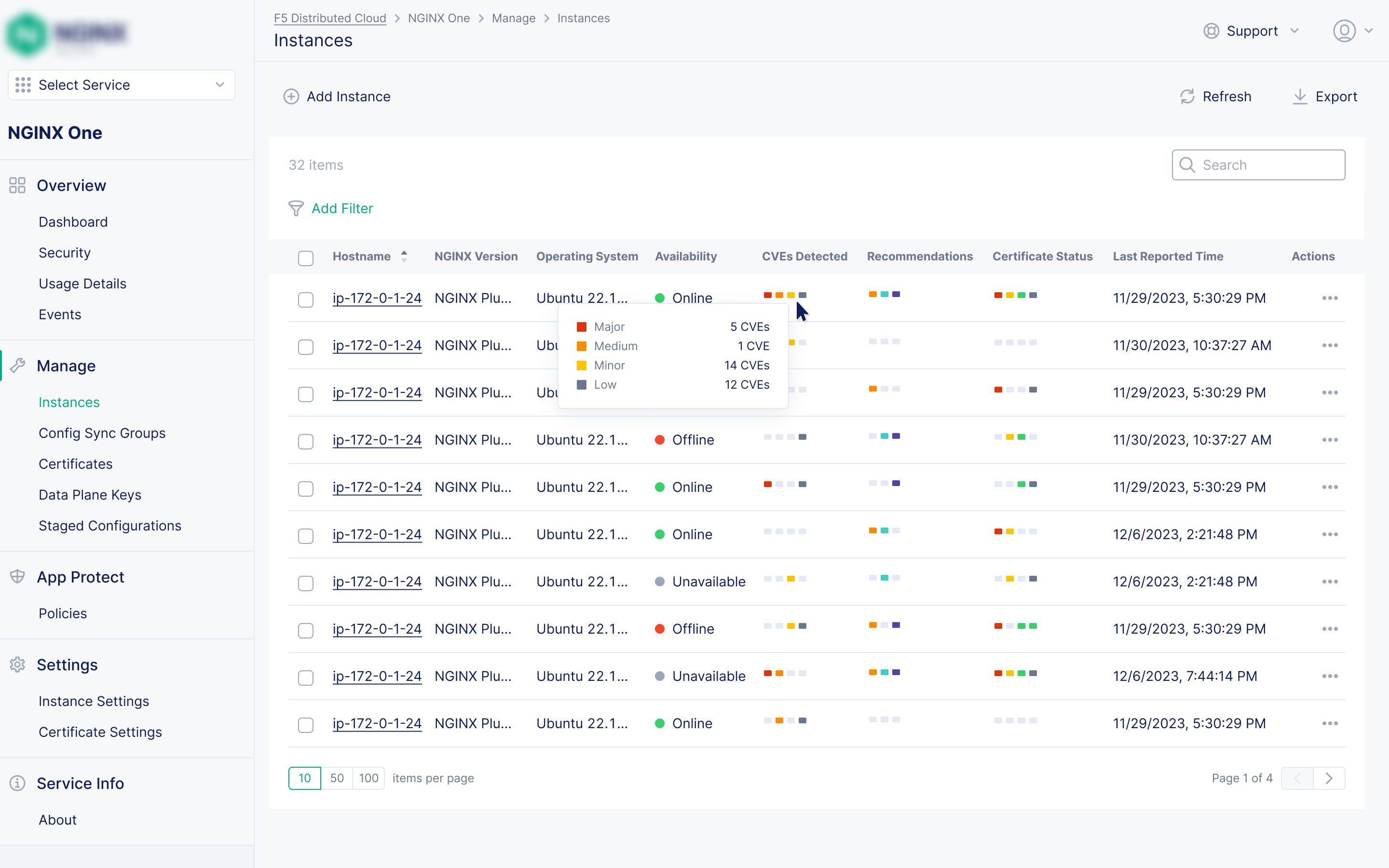
Status, health, offline alerts, expiring certificates and CVE exposure across the whole fleet. The old product had no equivalent.
Richer per-instance data than any earlier NGINX product, with monitoring metrics and charts for deeper diagnostics.
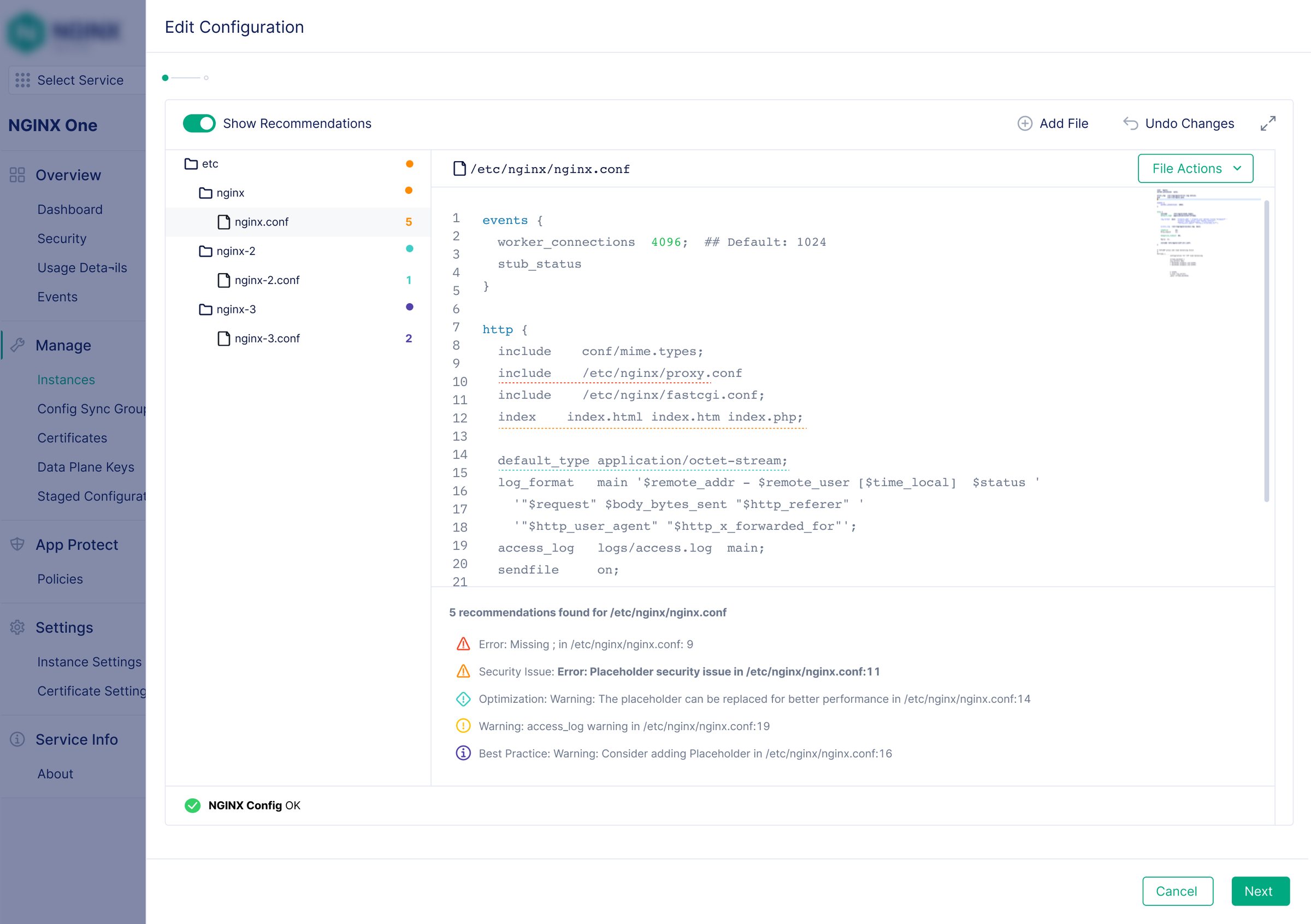
Inline recommendations for best practices, security and performance, plus a tooltip for every NGINX directive. Recommendations also surface on the dashboard and instance list.
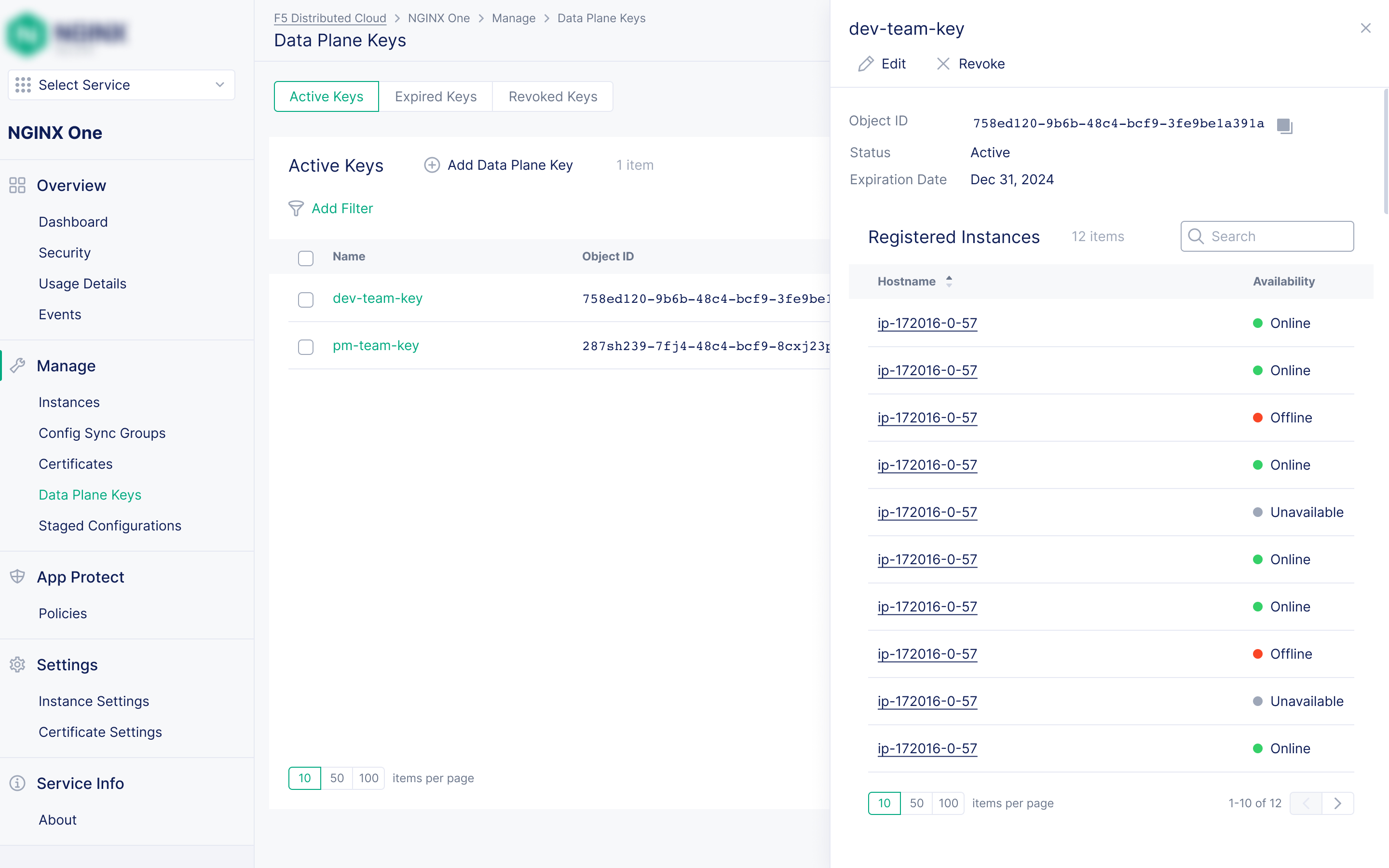
Secure tokens so only authorized NGINX instances can connect to NGINX One, replacing a manual mutual TLS and client certificate setup.
The key feature
NGINX configs are a powerful feature with several options to determine how NGINX servers behave. But these options also make configs intimidating. One bad directive could silently take a production server offline, so many users are hesitant to understand and use all the features. This meant they never got the product's full value.
Rather than simplifying NGINX's complexity away, I kept users in the real configuration and built their confidence around it. I designed four safety nets, each catching a different kind of mistake.
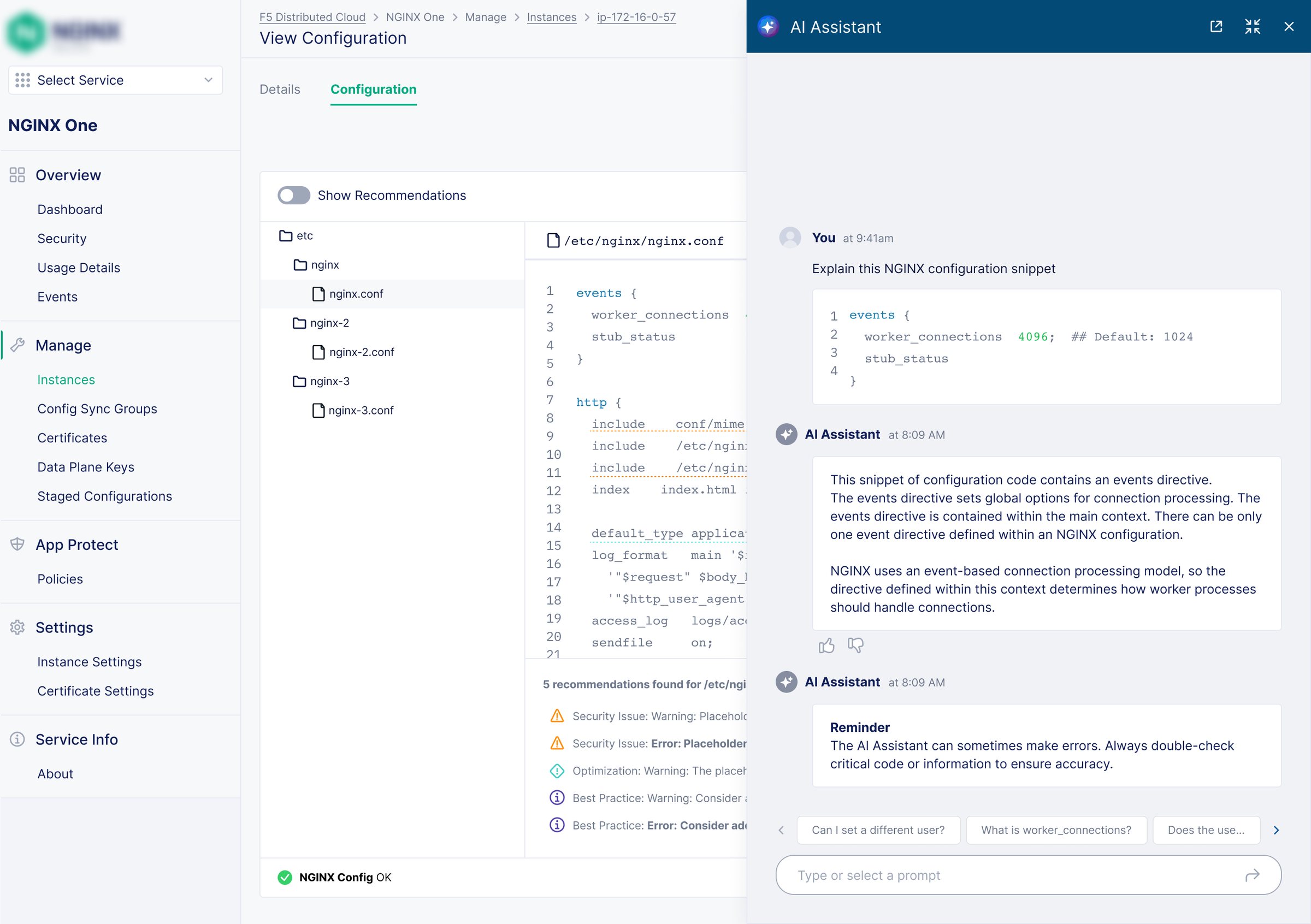
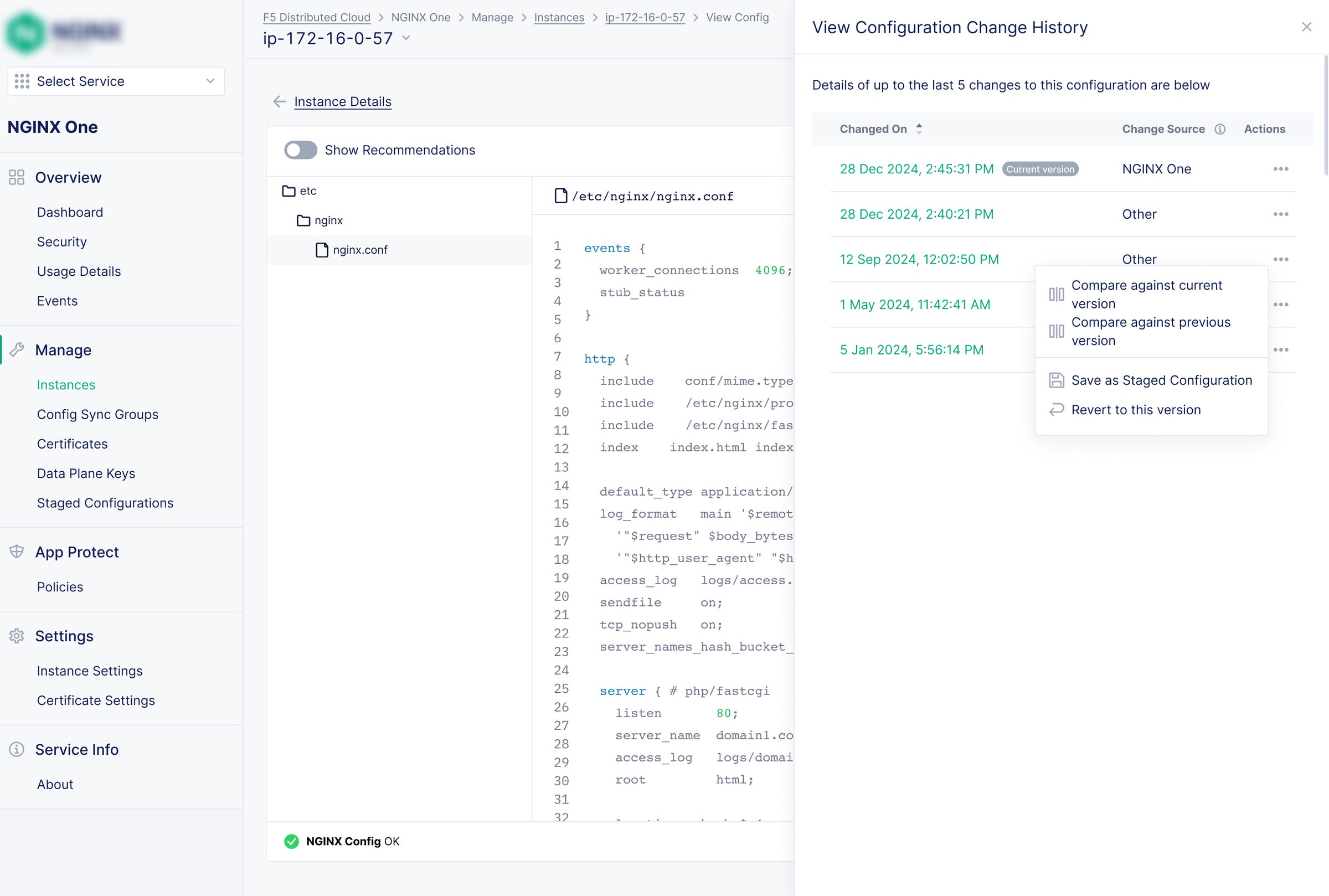
NGINX One is accessed through F5 Distributed Cloud, so I built on that product's design system instead of the older NGINX one. Moving between products felt seamless, and we moved faster. Modernizing the dated NGINX components and their documentation would have taken time the MVP didn't have.
Customers were excited by how much the MVP improved on the old product. After that, many features were built in direct response to customer asks, so once they shipped, those customers were vocal about what worked and what didn't. That feedback reached me through customer success engineers and PMs.
After the MVP, every feature traced back to a specific pain point that PMs and customer success engineers had heard from customers. Customer success engineers joined design reviews, larger features were tested informally with trusted customers, and I worked with engineering so technical constraints shaped designs early rather than late.
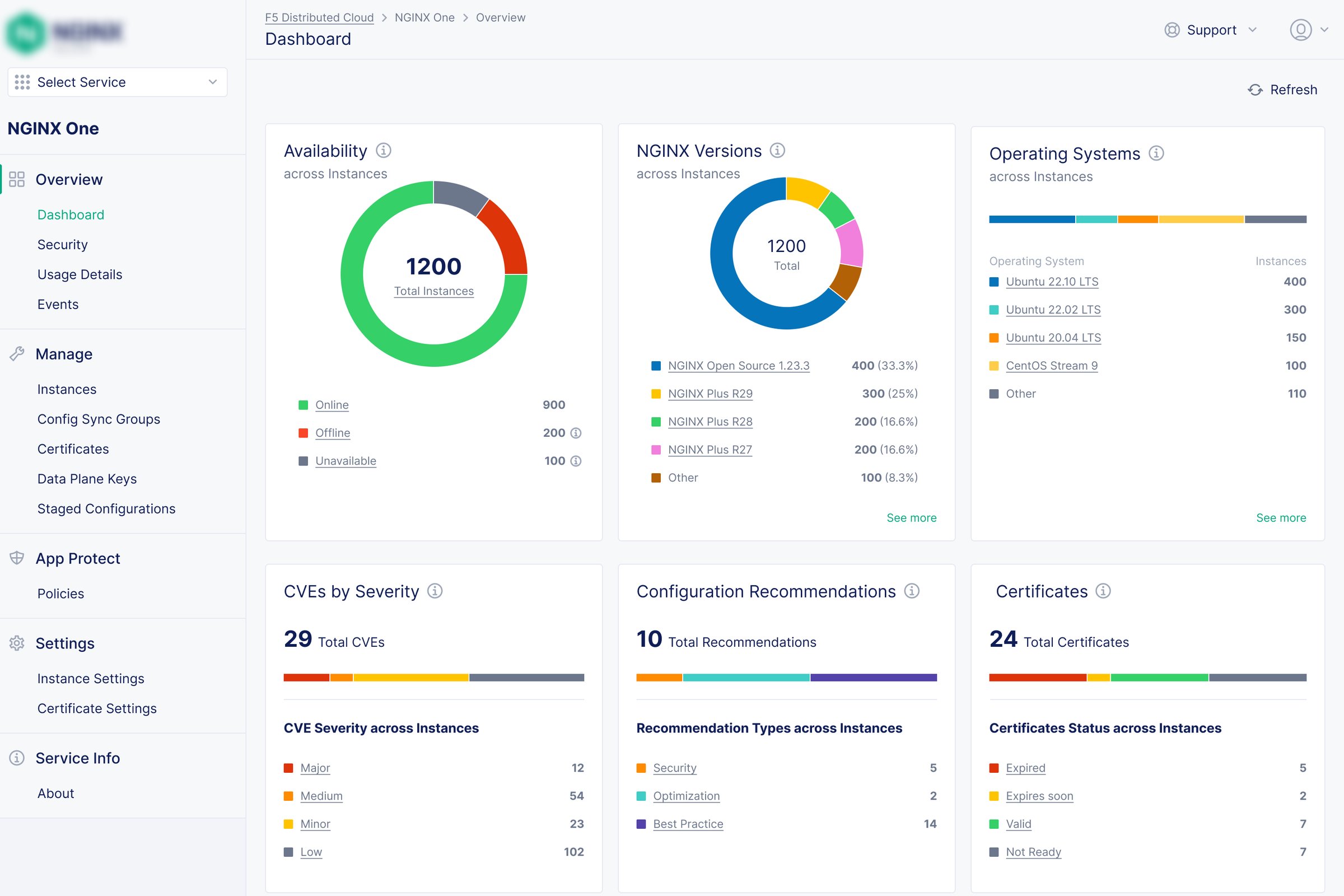
Health, usage, certificates and CVEs on one screen. Every alert links straight to the resource causing it.
Change one config and push it to every instance in a group, with per-instance sync status, a one-click re-sync, and alerts when a certificate in the shared config is expiring.
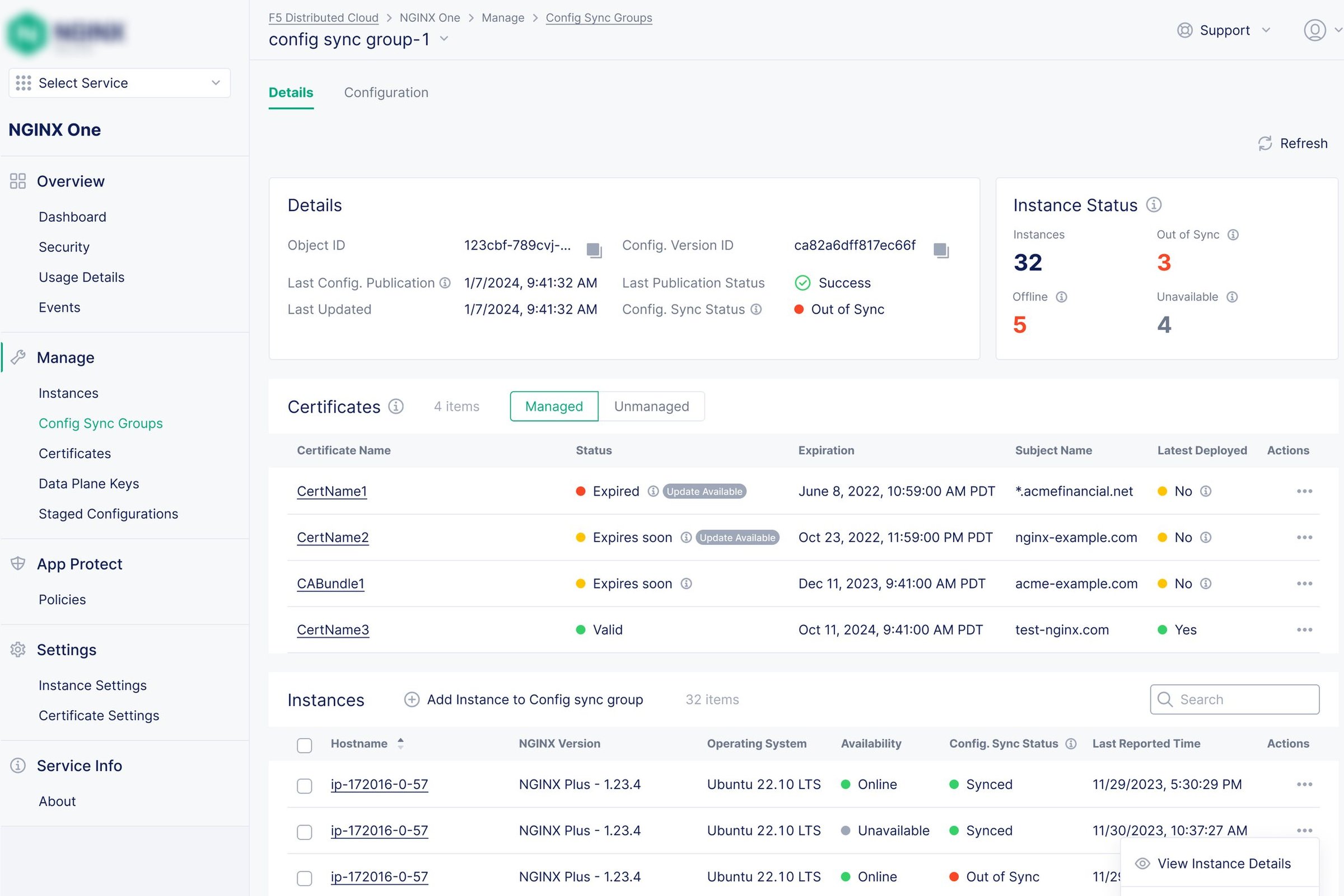
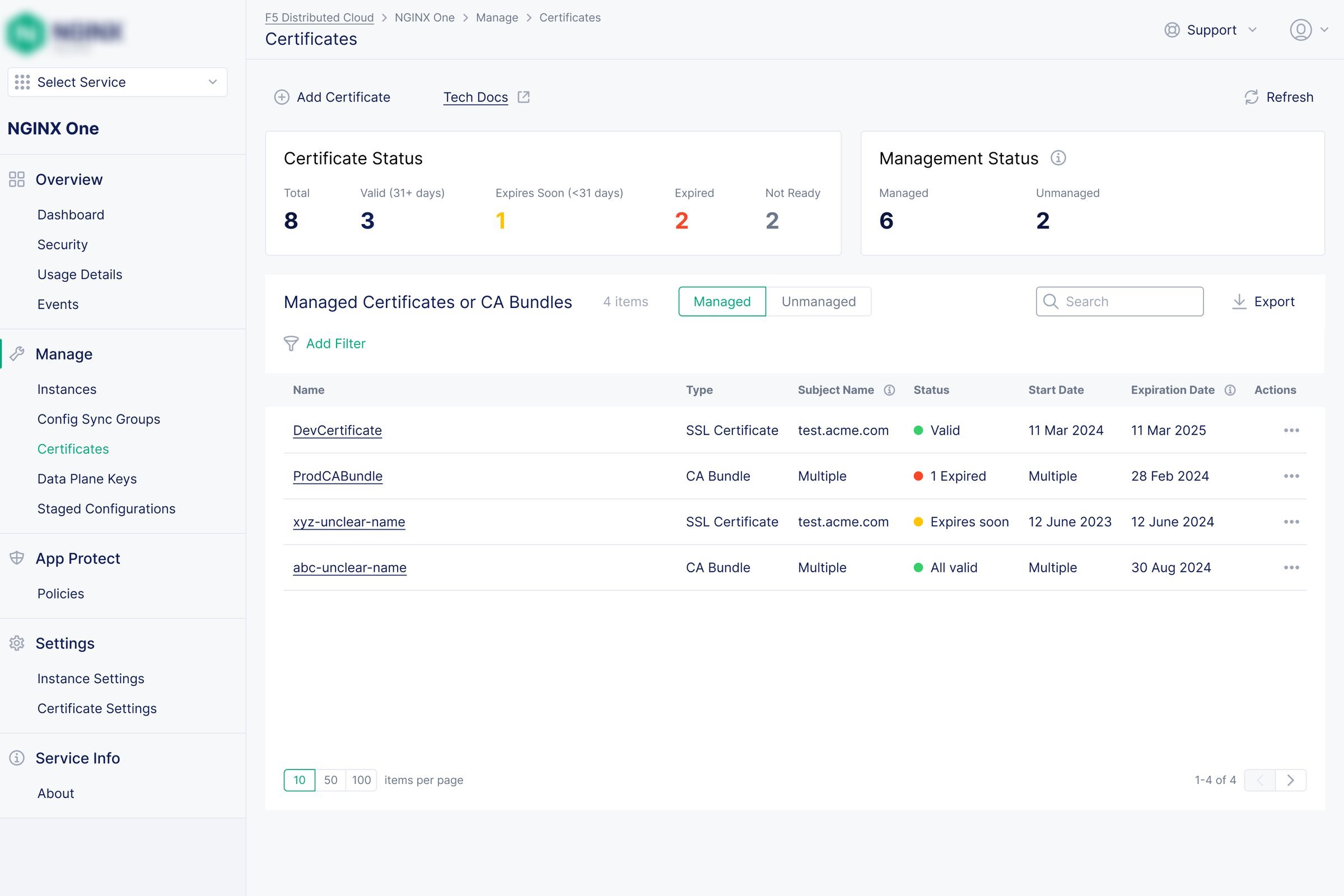
One inventory of every certificate, with expiry warnings on the dashboard and a guided Let's Encrypt renewal flow.
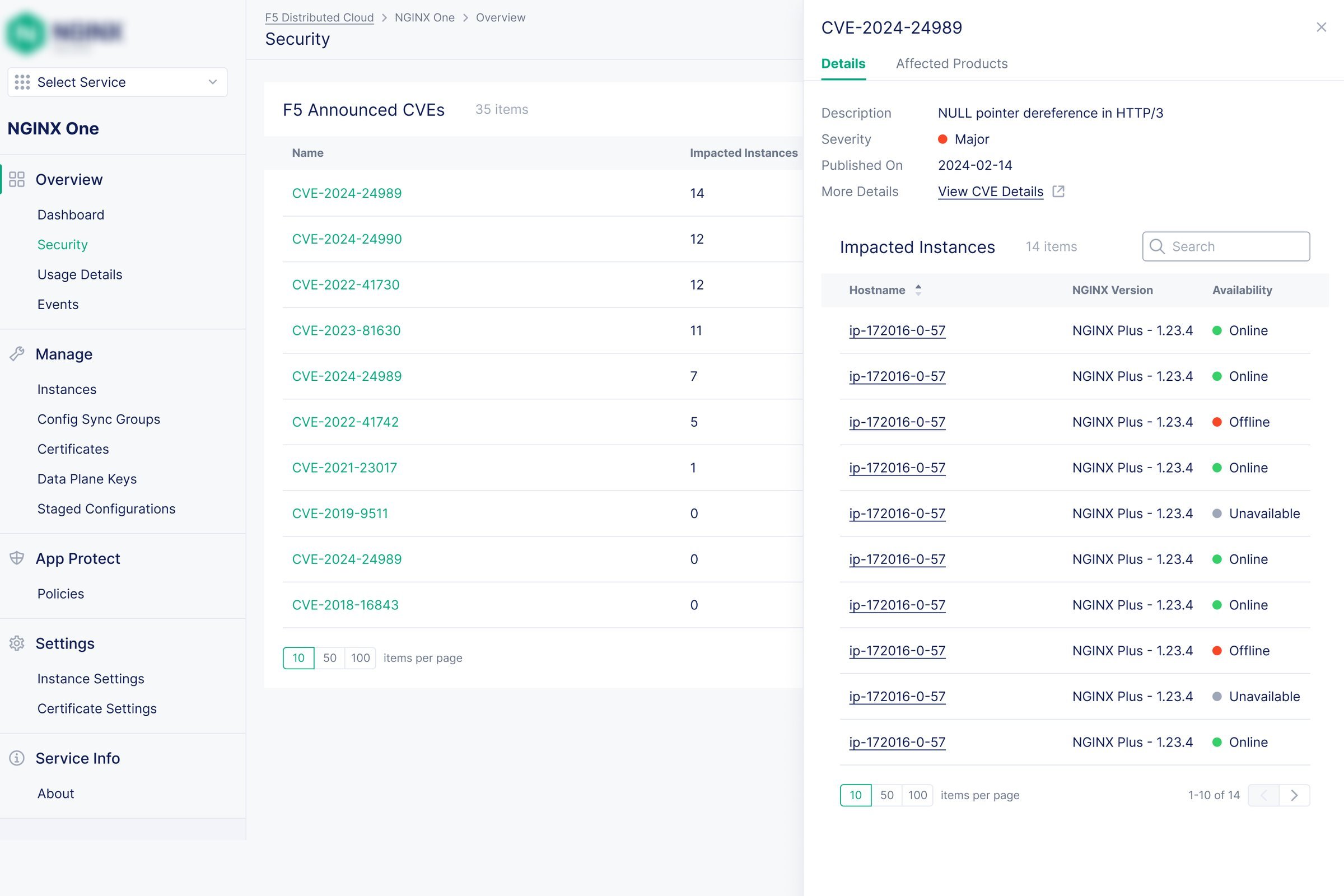
Every instance is checked against known vulnerabilities automatically, including Kubernetes deployments.
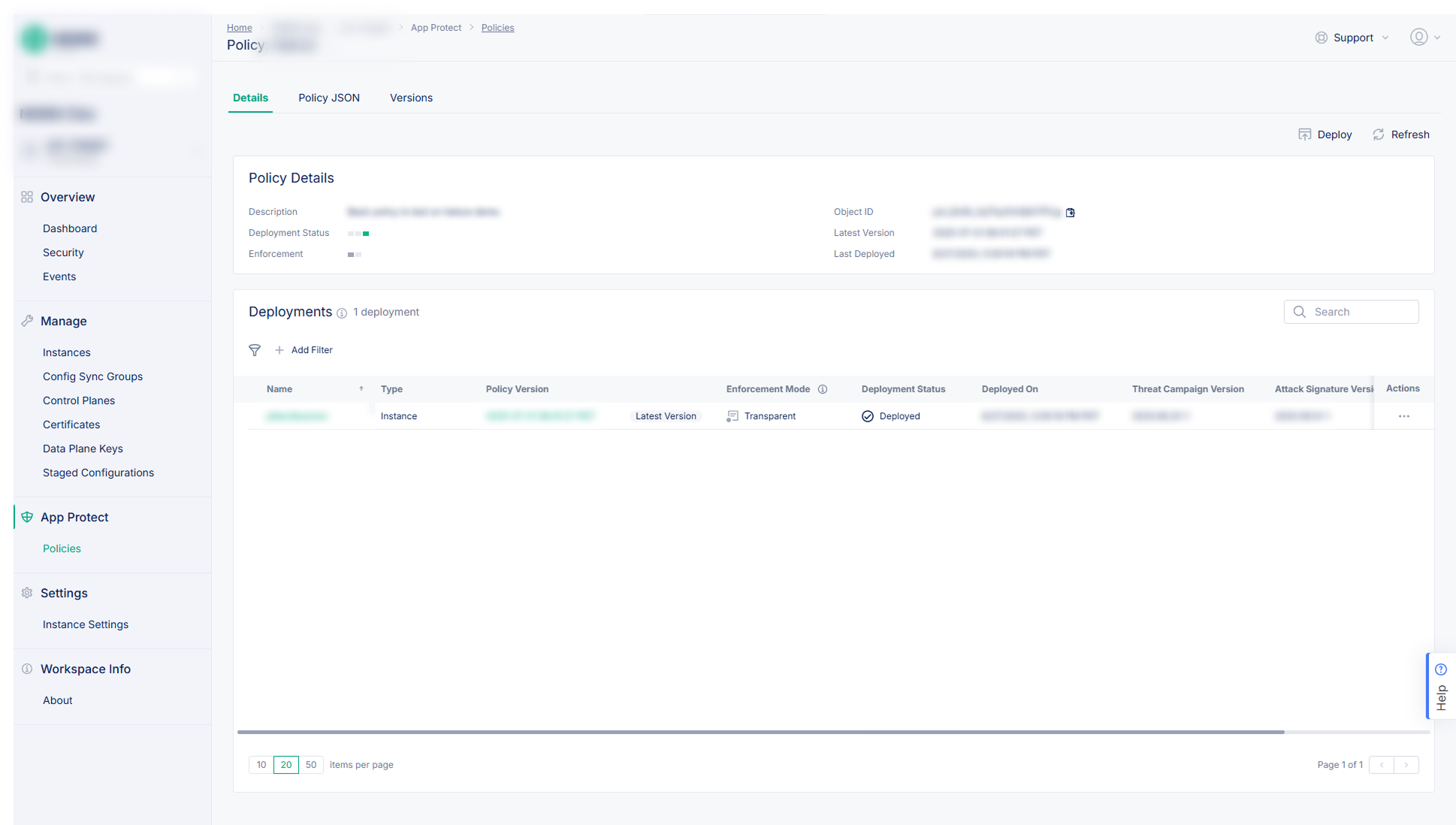
Certificate management, config rollback and policy deployment answered customer requests that had gone unanswered for years, and renewed interest from key accounts. Customers appreciated how deeply technical workflows had been made usable.
My designs also became the team's source of truth. Executives, architects, PMs and engineers planned from the mockups, which cut rework and ambiguity across teams.
As a solo designer, how clearly I explained constraints and rationale decided whether good design shipped.
Without a design manager, scope was mine to protect. I learned to push back early and keep the team on the problems that mattered most.
Designers on other F5 products, UX engineers and customer success engineers were my critique partners.
Only large features went through testing with trusted customers. For smaller ones, I mostly heard second-hand from CS engineers and PMs. Next time I'd find a way to put more of my designs in front of customers directly.