Personal
SafeKeep
A Password Manager for Older Adults
Mobile
B2C
User Research
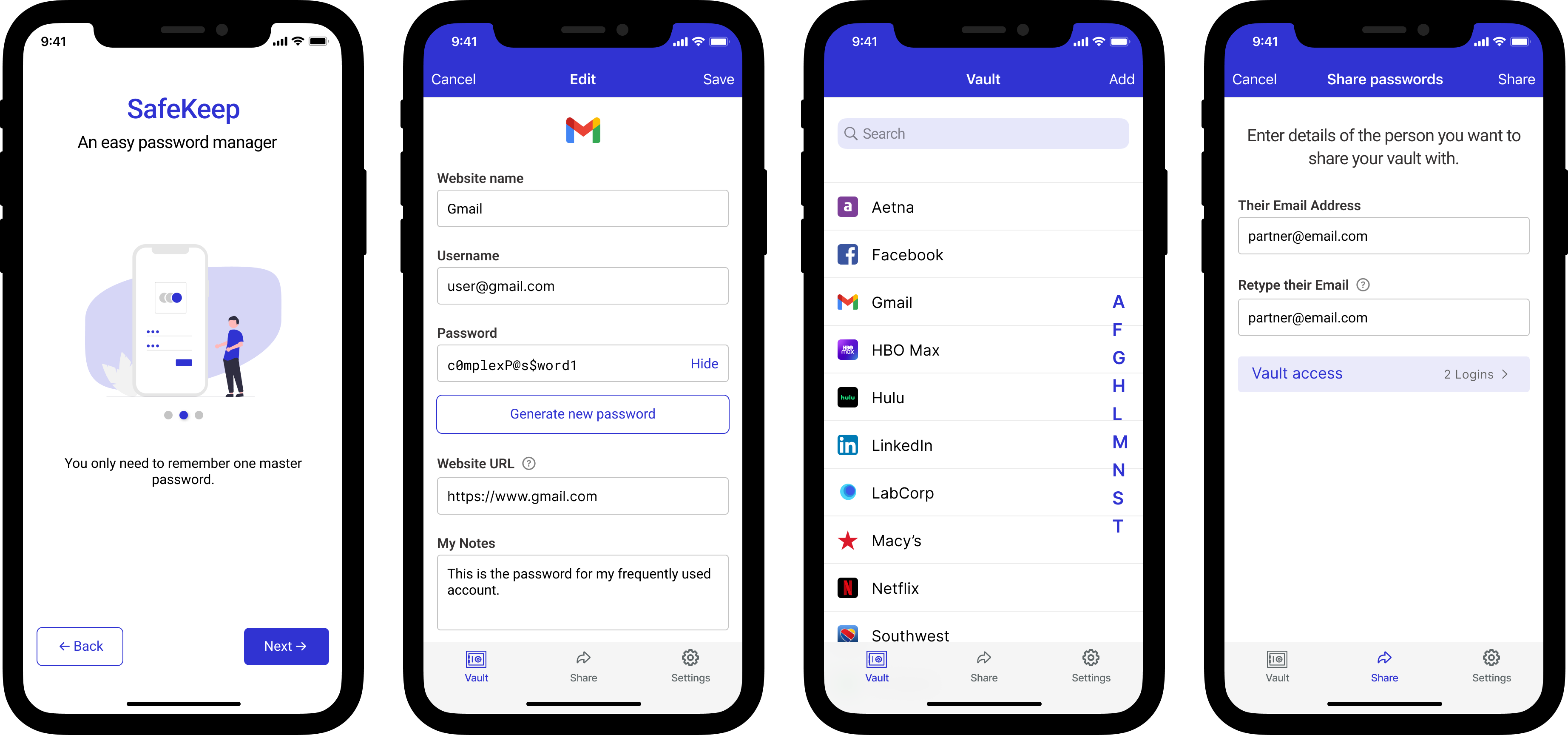
A Password Manager for Older Adults
I designed a simple password management app to help any one not familiar with technology. I'm passionate about making technology accessible and understandable to older adults unfamiliar with using tech, so I made most UI and UX choices keeping them in mind.
How might we make it easy to securely manage passwords and share them with close family or friends if needed?
Many older adults may find it difficult to use technology. For the sake of convenience, many services have moved online. The COVID-19 pandemic made it even more necessary for them to have to use technology - whether to buy groceries, communicate with family or friends, or perform transactions online in order to protect themselves from having to step out of the house.
Most services require creating a profile, which includes creating passwords, which in turn means that they have to remember those passwords. While noting passwords in physical diaries or having one password for everything is convenient, it isn't a secure option.
Additionally, many older parents require assistance with using these services and they rely on their children, who aren't always geographically nearby. In such scenarios, reading out the passwords over the phone or typing it over a messaging app isn't very secure either.
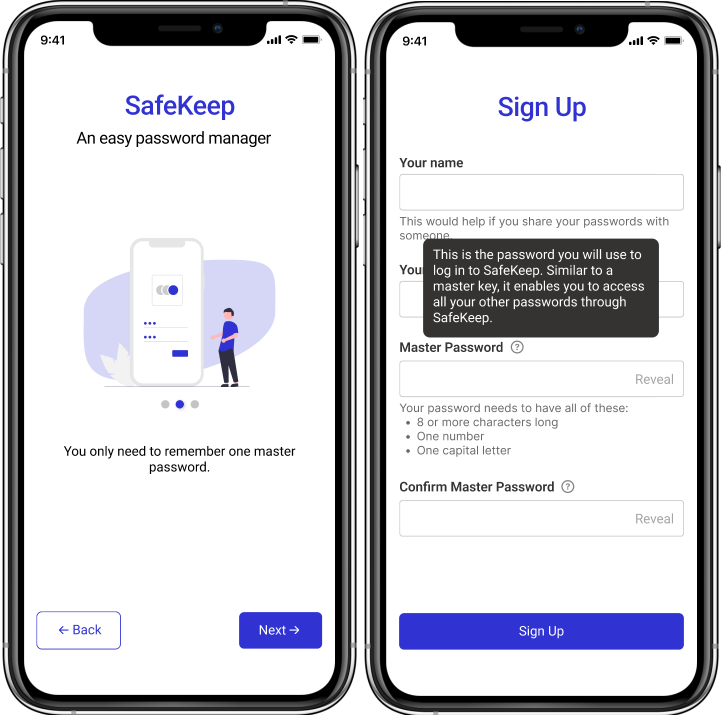
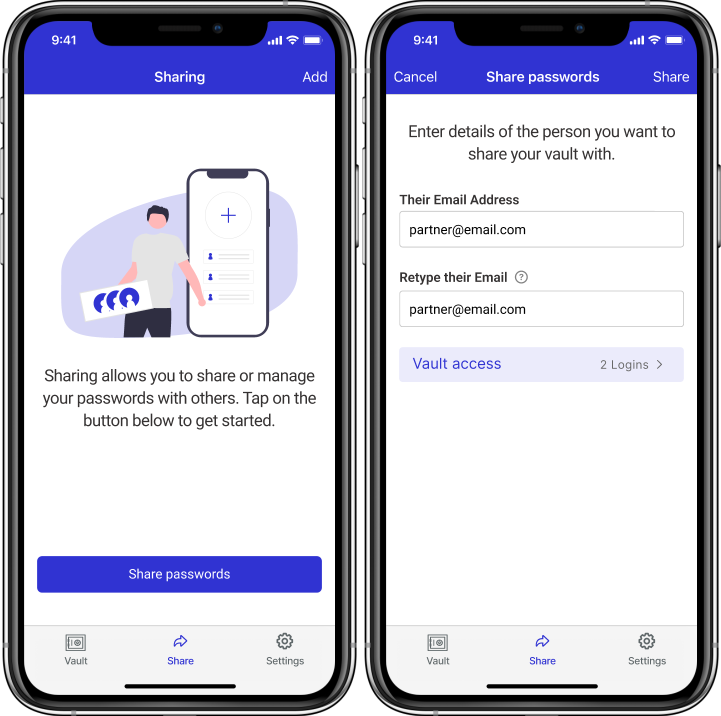
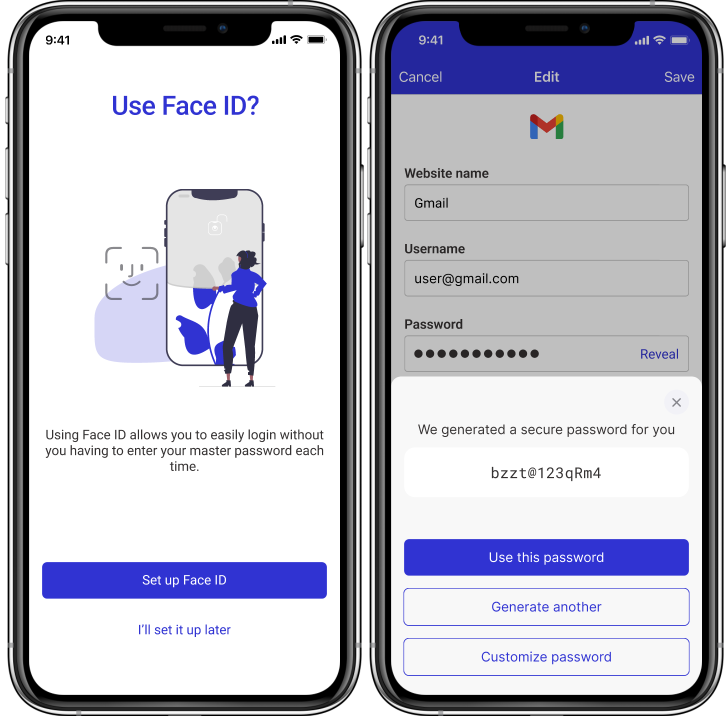
This was an individual project. I solely performed the following processes:
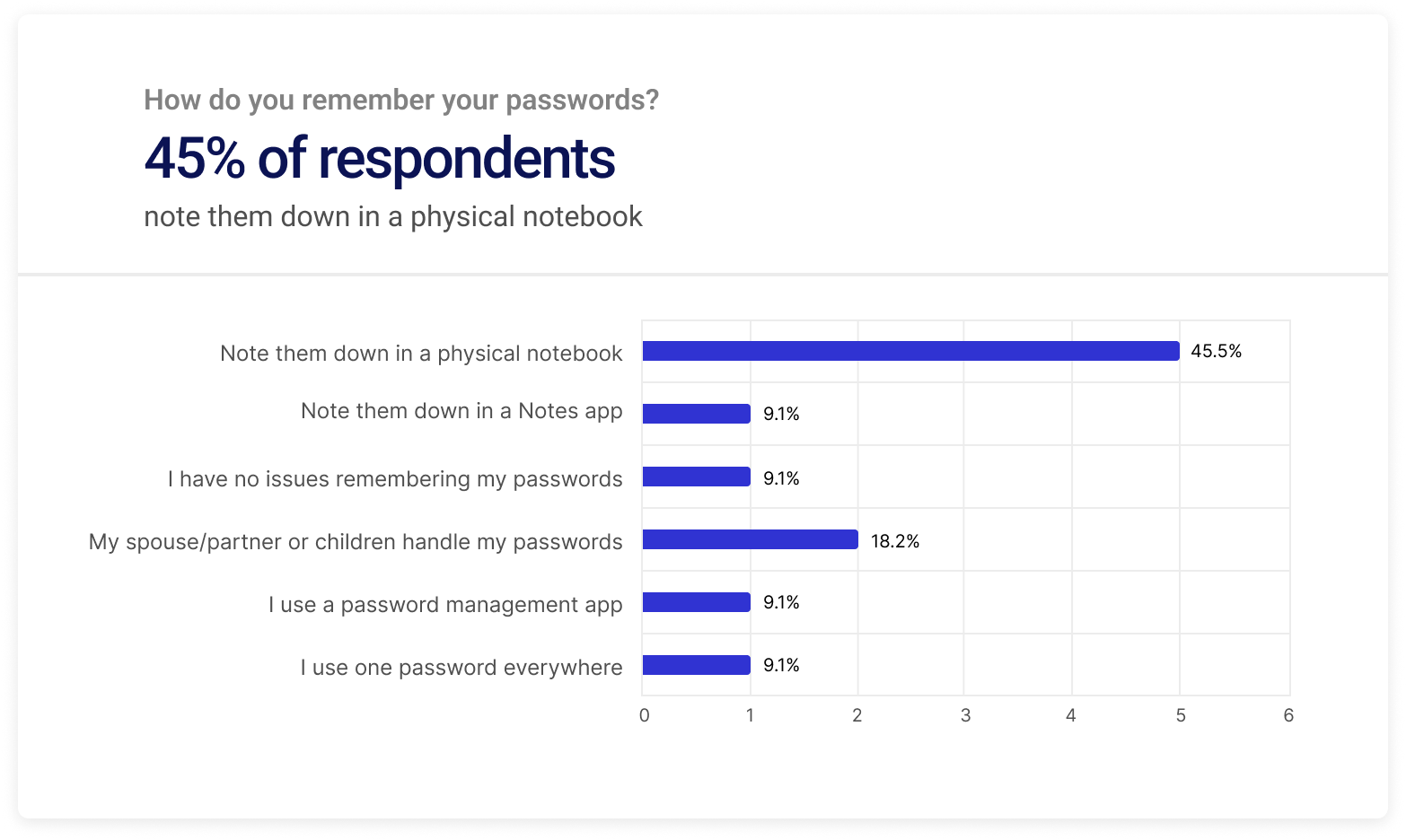
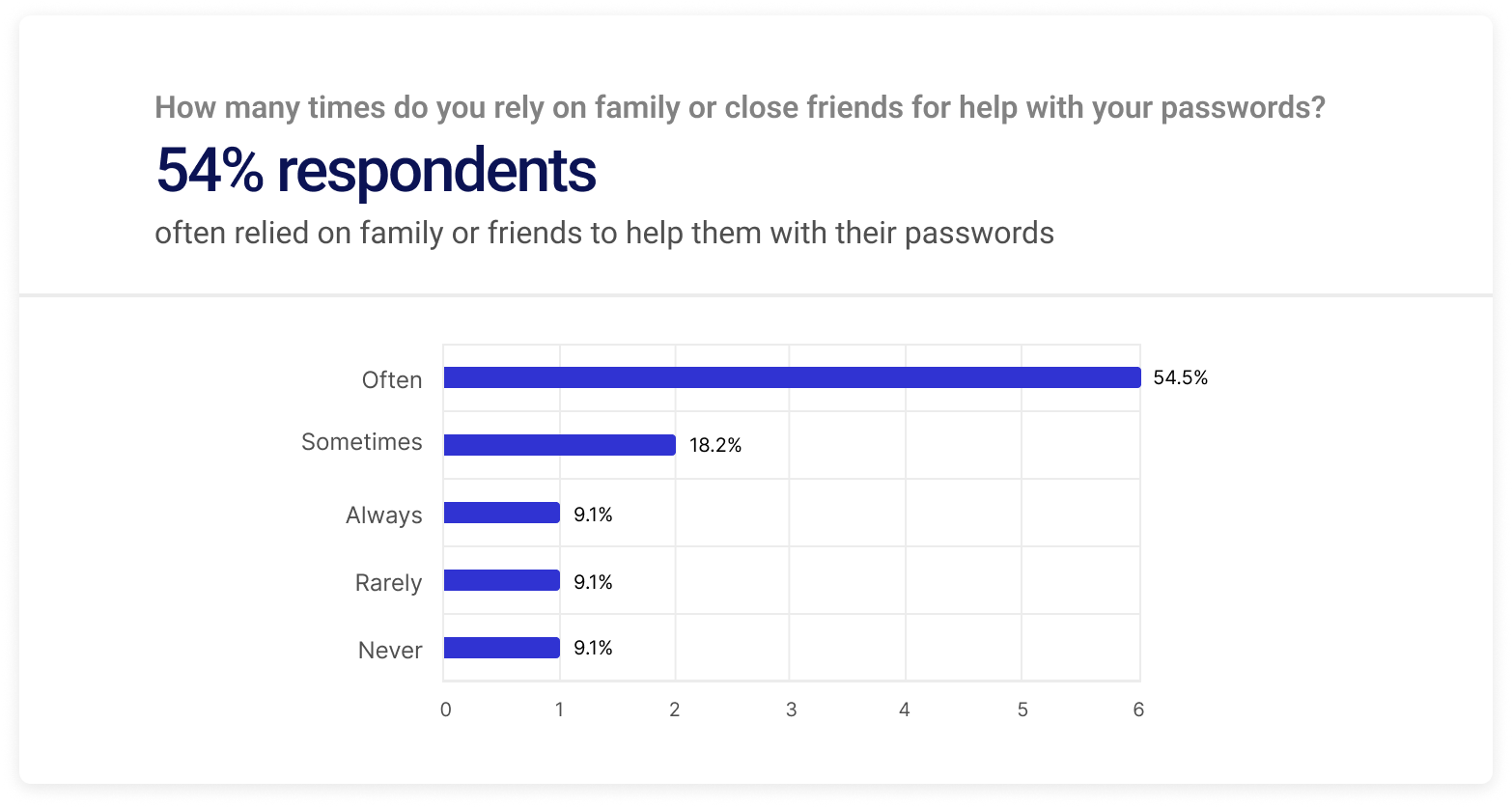
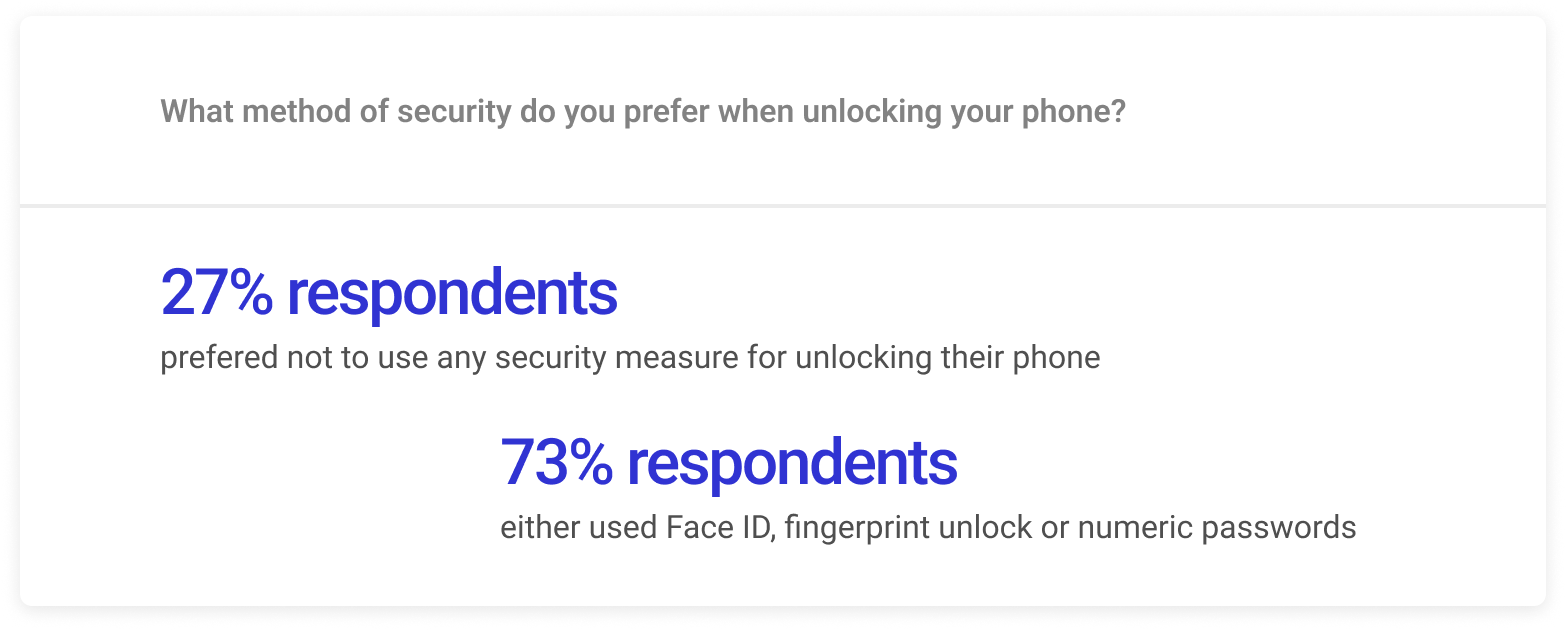
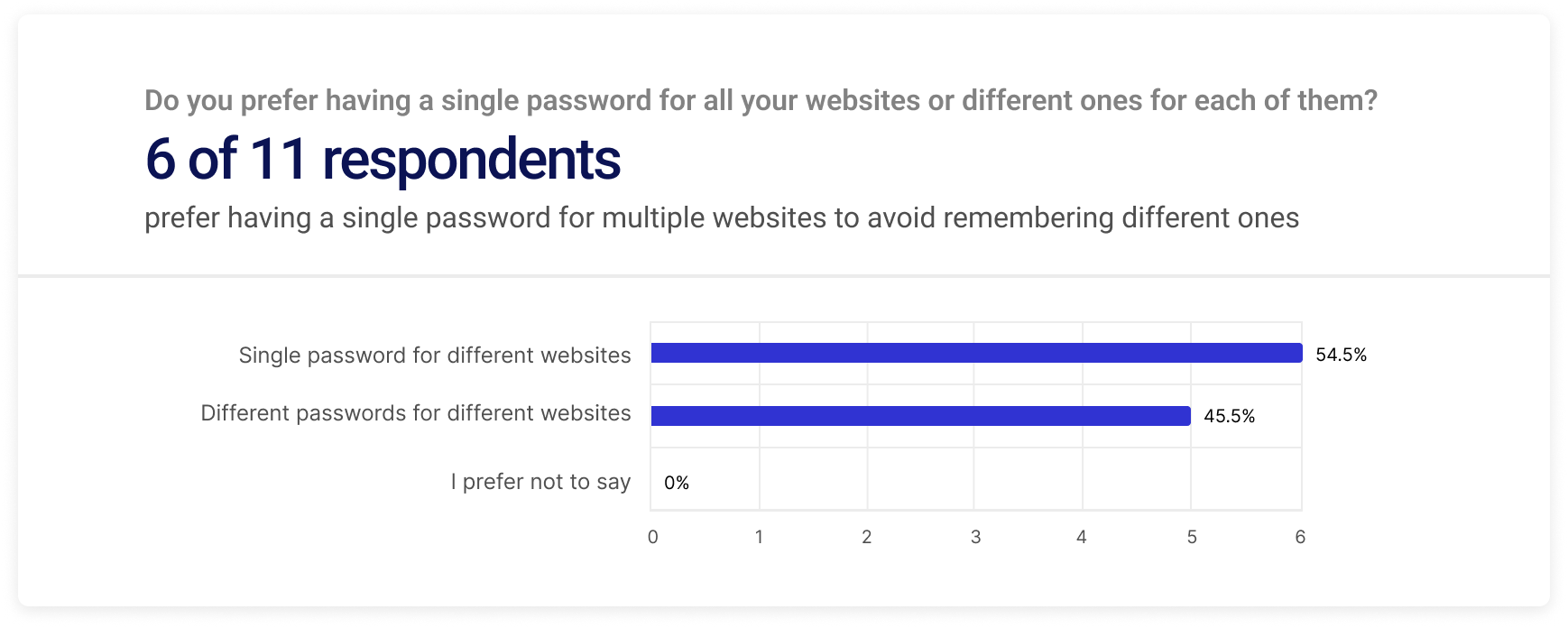
I conducted surveys targeting older adults or their children to understand how they manage passwords, and other behaviors related to online/phone security.
I identified inclusive personas for users that I was trying to solve the problem for. I included:
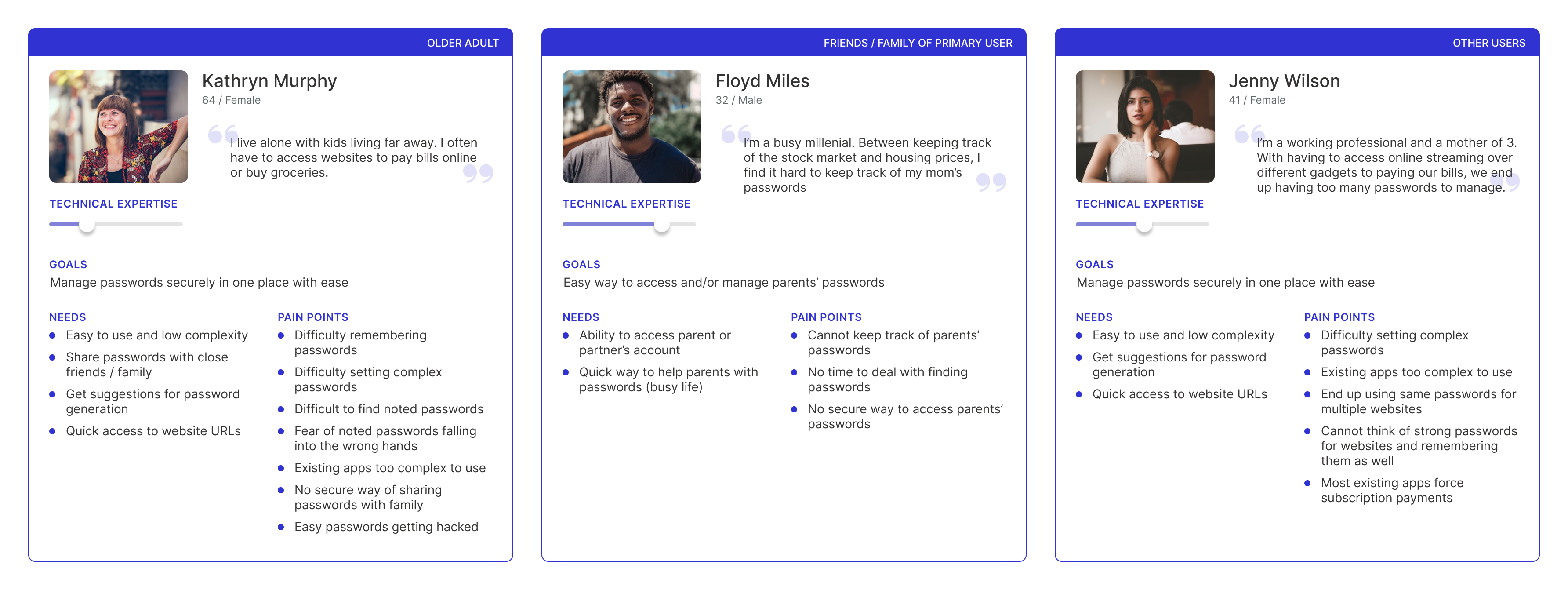
Similar to the Crazy 8s method , I sketched different ideas to solve the problem. Below is a sketch of the different solutions I came up with.
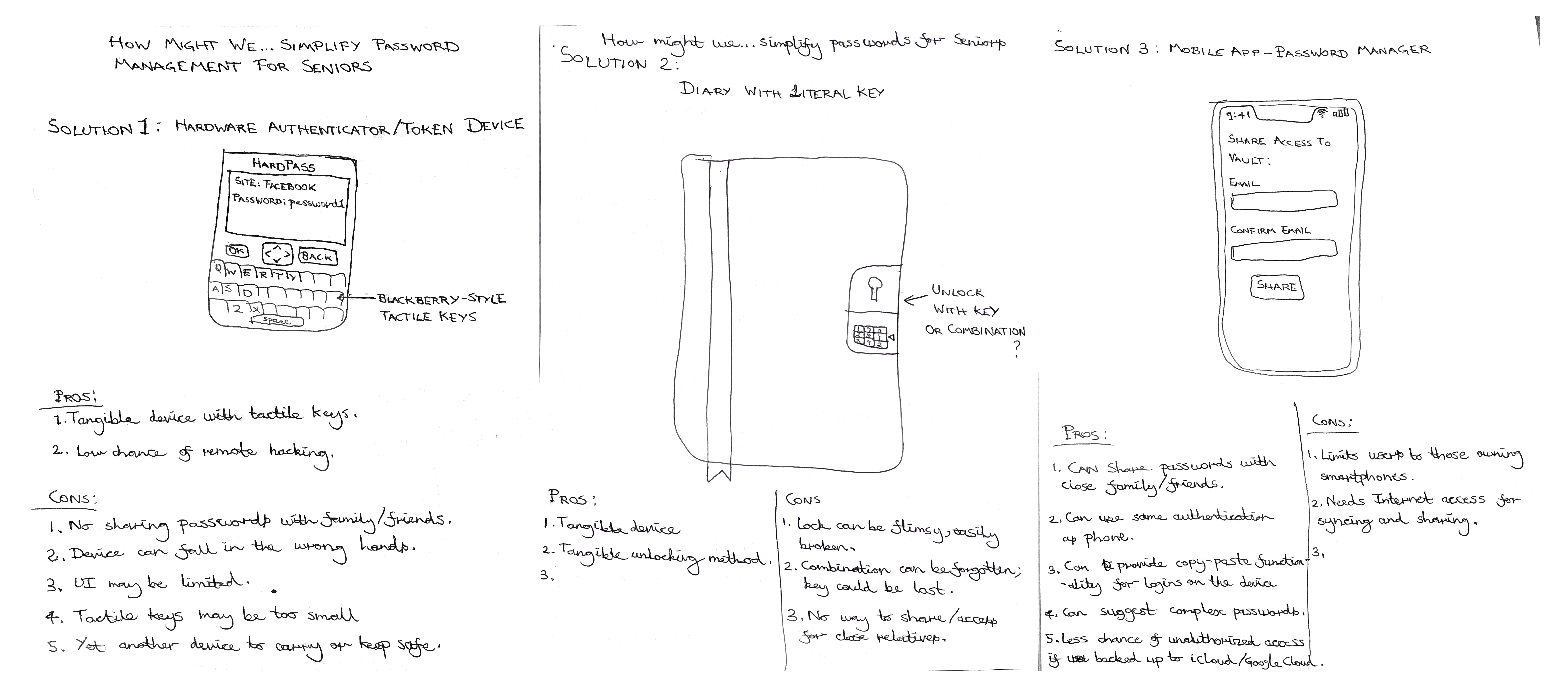
Out of the solutions I considered, I decided to go for a smartphone app for the following reasons:
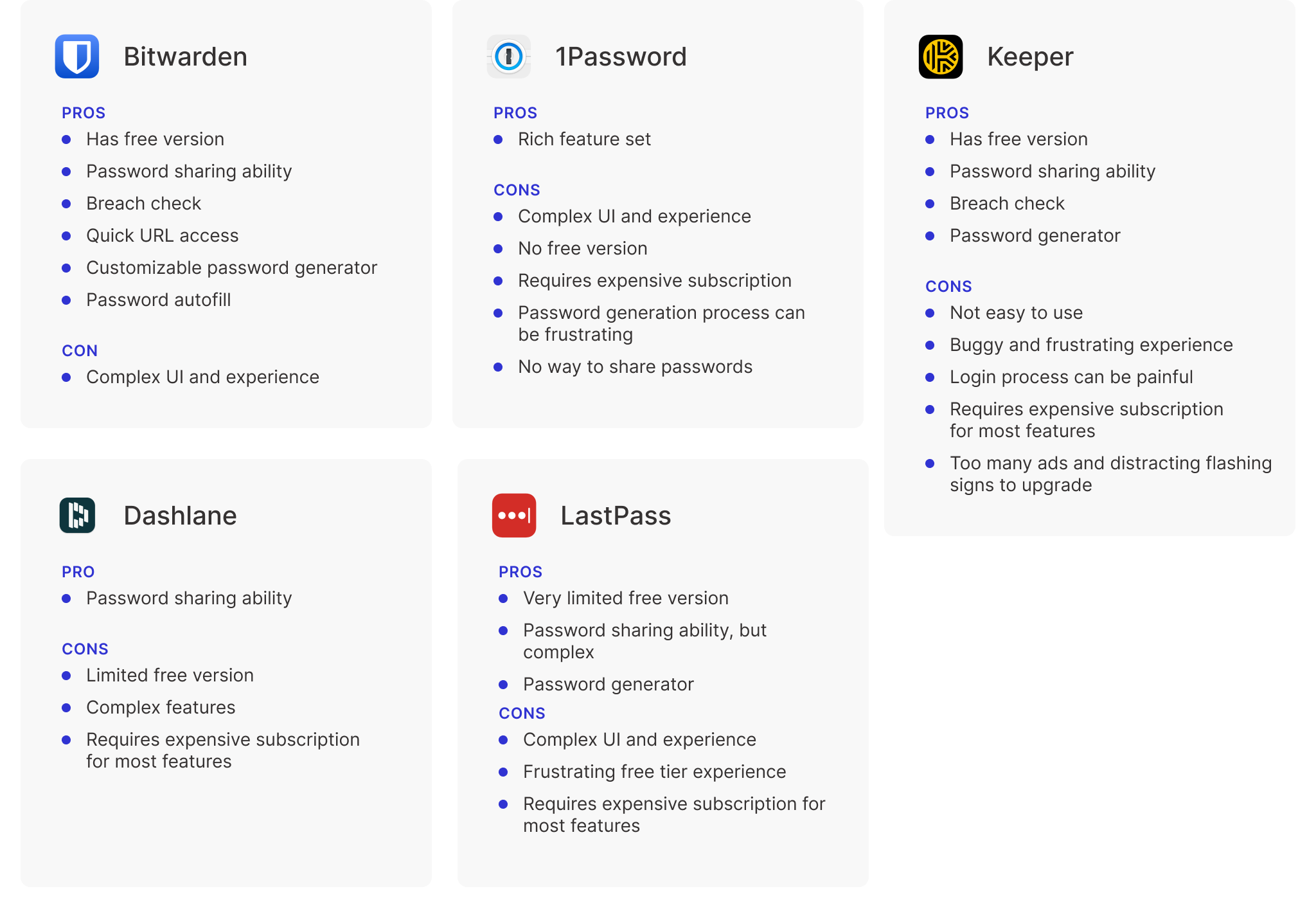
I analyzed popular password management currently on the App/Play Store. Some major cons that stood out amongst them were:
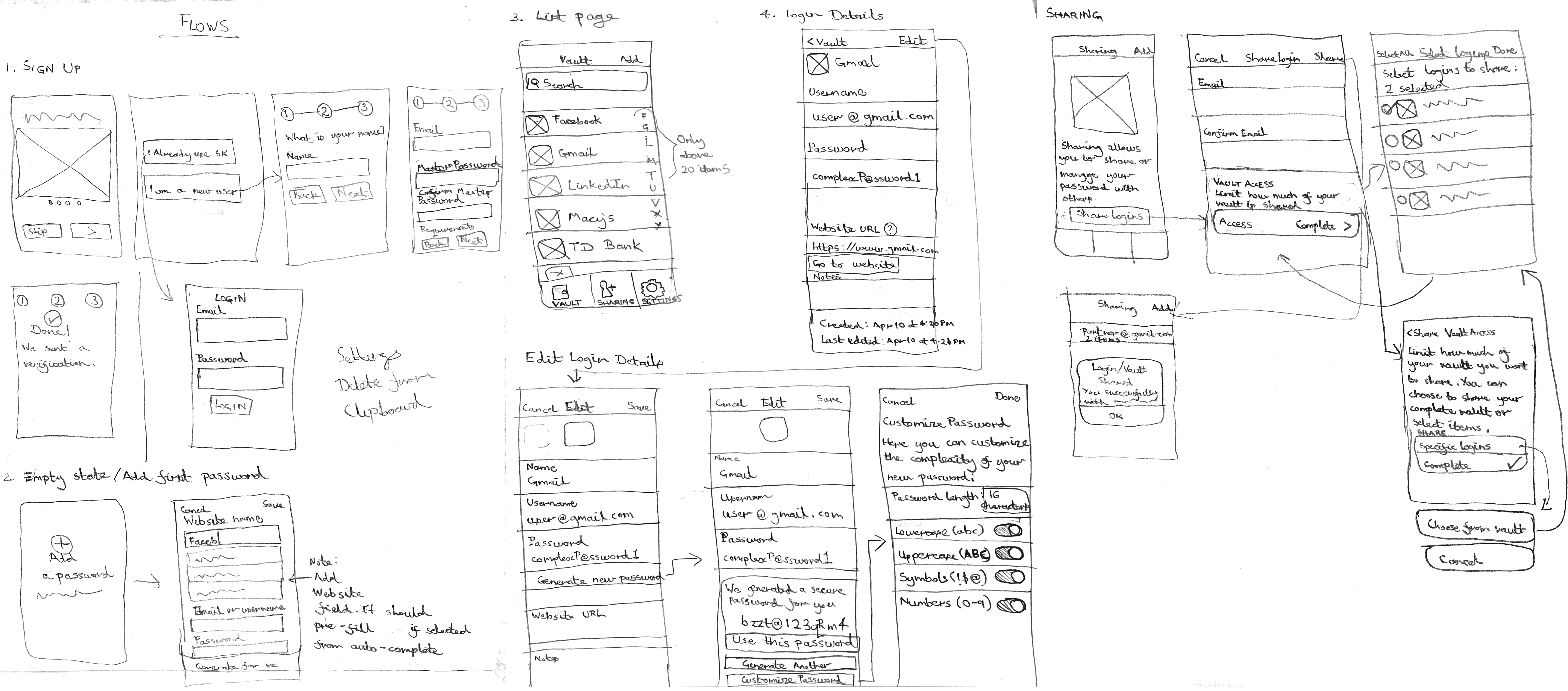
I sketched low-fidelity mockups on paper for each feature or flow I planned to add. After fixing any flow/interaction issues, I then created low-fidelity prototypes in Figma.
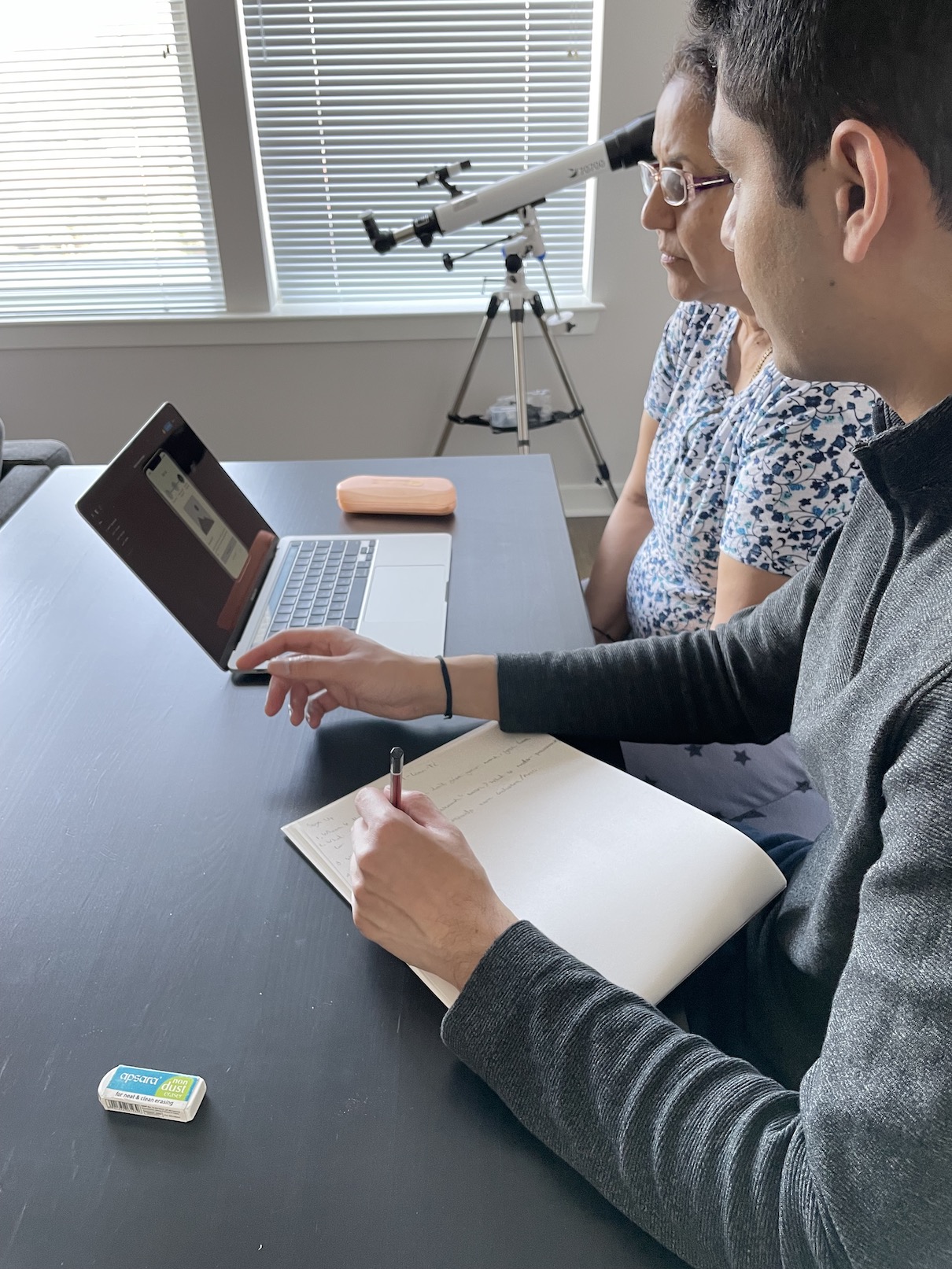
I tested the prototype with 2 older adults using the think-aloud method. I iterated my prototype based on what I observed in the user testing.
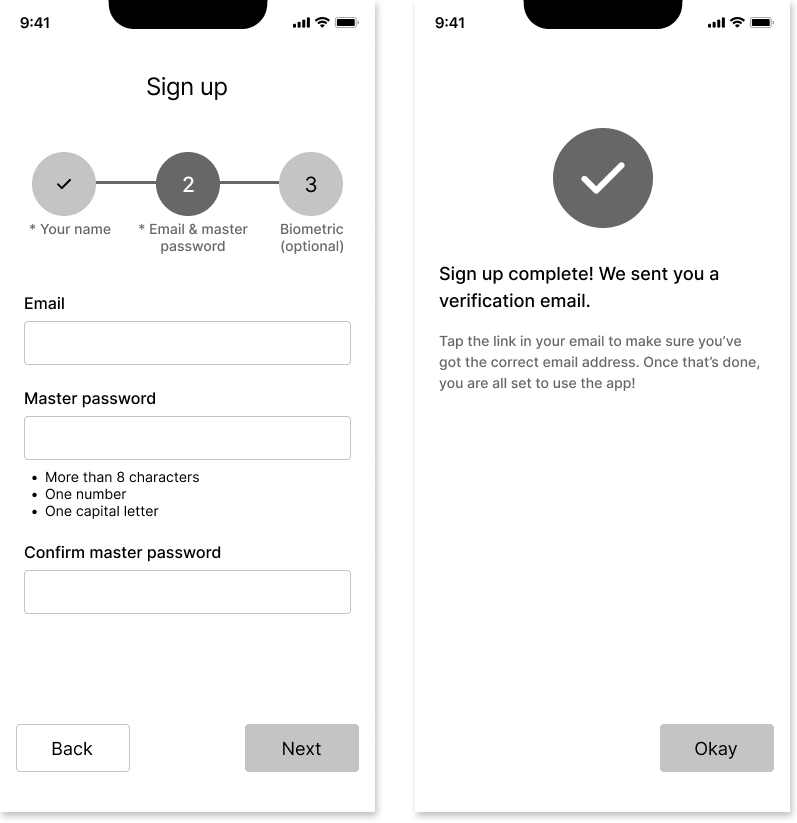
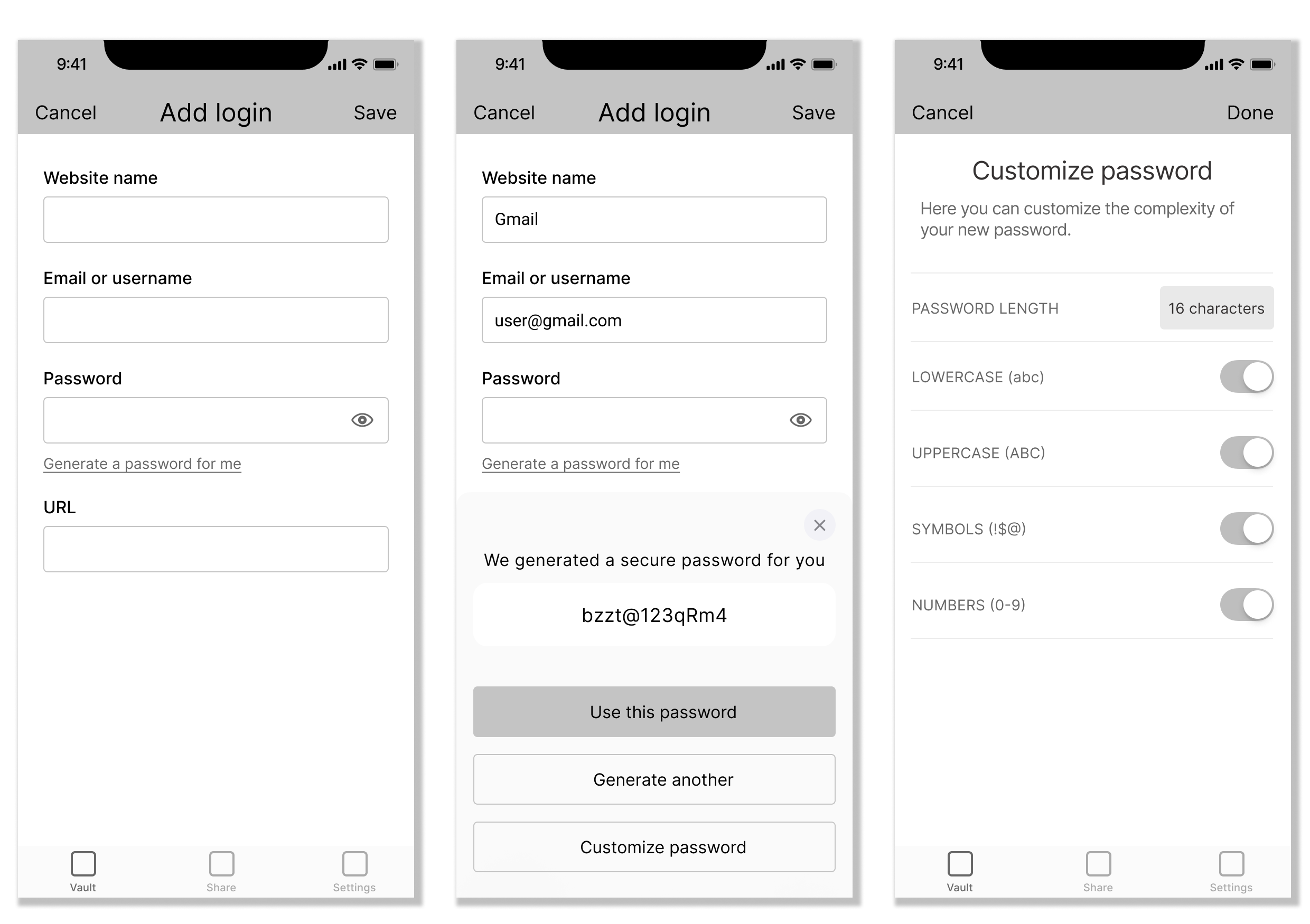
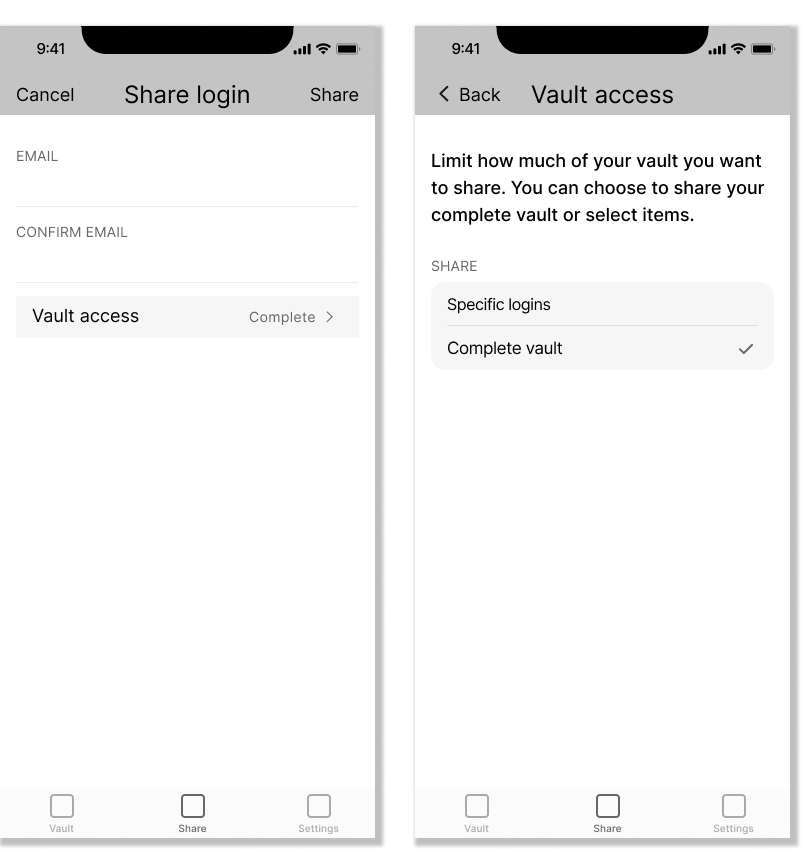
After refining the low-fi prototypes with feedback from user testing, I created high-fidelity prototypes of my user flows in Figma.